Providers
Opened from the account menu (bottom-left) under Setup, or from ⌘K.
Model providers and their models. Shows which providers are genuinely usable here (a key in the vault, a live sign-in session, or a local model server), and lets you set the deployment's preferred model. Olano-managed tiers appear at the top (see Models and credits).
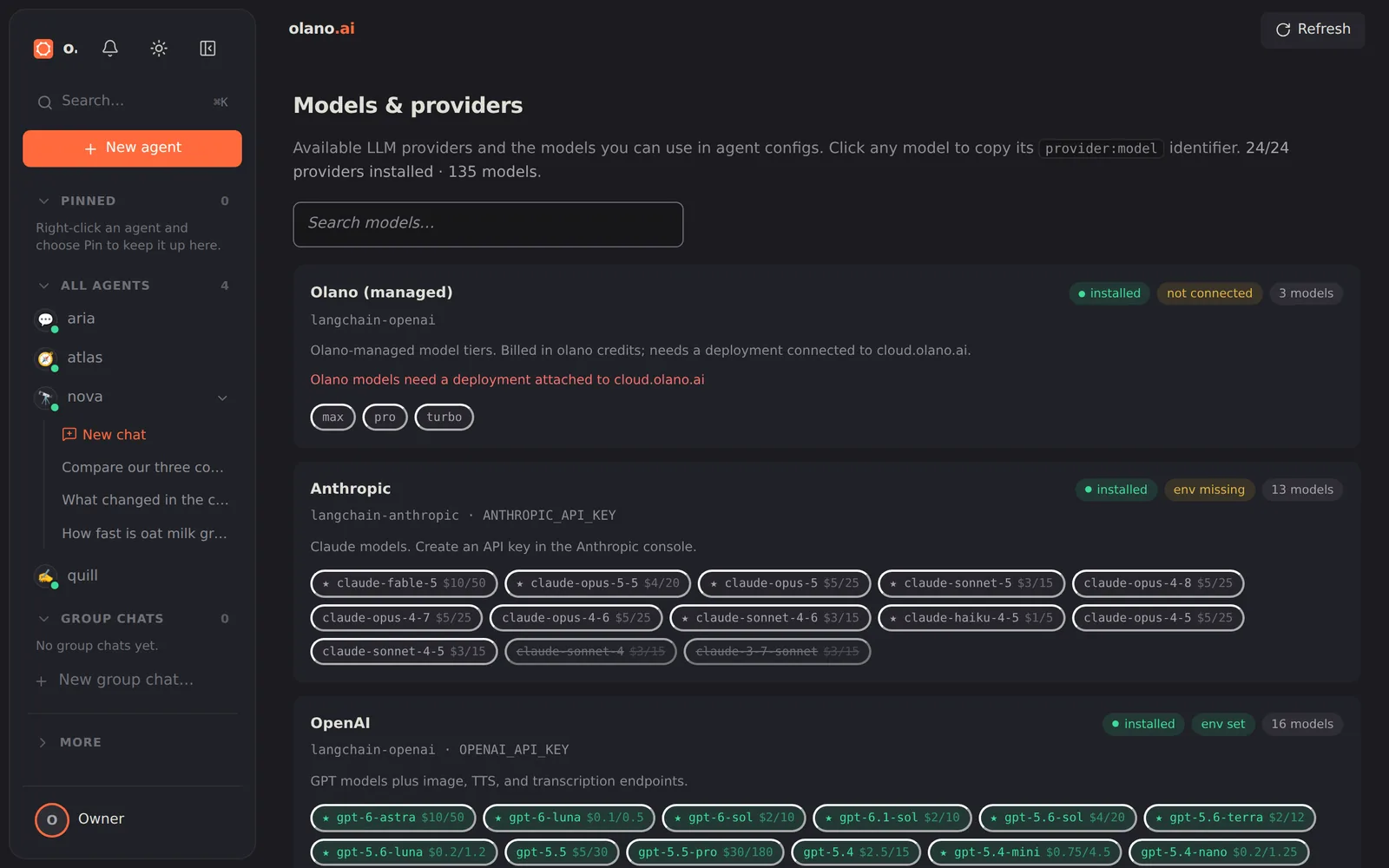
A provider's model chips turn green once everything it needs is in place —
the package installed and its key present or its sign-in live — so you can see
at a glance which models you can actually run. Chips stay neutral while a
requirement is missing, while a connected provider is reporting that it is not
currently working, and on models the provider has deprecated (shown struck
through). Click any chip to copy its provider:model identifier.
The Olano card on a self-hosted install
On a self-hosted install the Olano card carries a Run on Olano credits
form. Paste an Olano API key created under API keys on cloud.olano.ai
(it starts with sk-olano-); the dashboard checks it with your account, stores
it in the vault and hands it to every running model. The card then shows the
key's prefix, Buy credits and Manage keys links to your account, and
Replace key / Remove. Removing it returns the install to your own
provider keys at the agents' next start. On an Olano Cloud deployment the card
has no form: the deployment bills its own credits.
If the card says the key was refused, it was revoked on cloud.olano.ai or
pasted incompletely; paste a valid one. If it says stored but not in use,
another key outranks it on this box (a gateway key set in the environment, or
an enrolled deployment key): the install keeps that key and the pasted one
waits in the vault until the other is removed. A key that comes from the
environment variable OLANO_CREDITS_KEY cannot be replaced or removed from
the card; change it where it is set and restart the runtime.
Connecting a key on an account with no credits yet is fine: the card and the setup wizard say so, agents on the Olano tiers answer with an out-of-credits message until you buy some on the Billing page, and nothing else changes.
If the box's environment sets a gateway key directly, the card says so and that key wins over a pasted one.